
Intel Core i3-8350K Review
| Category | Desktop | ☆ ☆ ☆ ☆ ☆ |
|---|---|---|
| Target | entry-level | ☆ ☆ ☆ ☆ ☆ |
| Socket Compatibility | LGA1151 | ☆ ☆ ☆ ☆ ☆ |
| Integrated Graphics | Intel UHD Graphics 630 | ☆ ☆ ☆ ☆ ☆ |
| Cooler Included | No | ☆ ☆ ☆ ☆ ☆ |
| Overclock Potential | 1 % | ★ ☆ ☆ ☆ ☆ |
| Year | 2017 Model | ★ ★ ★ ☆ ☆ |
| Price | 168 USD | ★ ★ ★ ★ ★ |
| Number of Cores | 4 Cores | ★ ★ ☆ ☆ ☆ |
| Number of Threads | 4 Threads | ★ ☆ ☆ ☆ ☆ |
| Core Frequency | 4 GHz | ★ ★ ★ ★ ☆ |
| Boost Frequency | 4 GHz | ★ ★ ★ ☆ ☆ |
| Max Stable Overclock | 4 GHz | ★ ☆ ☆ ☆ ☆ |
| Power Consumption | 91 W | ★ ☆ ☆ ☆ ☆ |
| Manufacturing Process | 14 nm | ★ ★ ★ ☆ ☆ |
| L3 Cache | 8 MB | ★ ★ ★ ☆ ☆ |
| Maximum Supported Memory | 64 GB | ★ ★ ★ ★ ☆ |
| Price-Value Score | 45 % | ★ ☆ ☆ ☆ ☆ |
| Speed Score | 63 % | ★ ★ ☆ ☆ ☆ |
| Productivity Score | 38 % | ★ ☆ ☆ ☆ ☆ |
| Gaming Score | 85 % | ★ ★ ★ ★ ☆ |
| Max 1080p Bottleneck | 32.1 % | ★ ☆ ☆ ☆ ☆ |
| Max 1440p Bottleneck | 16 % | ★ ☆ ☆ ☆ ☆ |
| Max 4K Bottleneck | 8 % | ★ ★ ★ ☆ ☆ |
| Overall Score | 37/100 | ★ ★ ☆ ☆ ☆ |
Introducing the Core i3-8350K! This Desktop processor is a marvel in Intel's entry-level range. Debuted in 2017, it's packed with 4 cores and 4 threads. It operates at a base clock speed of 4GHz, can ramp up to 4GHz, and has a power consumption of 91W, ready to supercharge your gaming system. The Core i3-8350K is built on the Coffee Lake 14nm platform and belongs to the esteemed Core i3 series.
And guess what? The Core i3-8350K is the ultimate successor to Intel's previous-gen gaming champion, the Core i3-7350K. The Core i3-7350K was based on the legendary Kaby Lake-S and 14nm process, and it made its grand entrance into the gaming scene back in 2017. But now, it's time for the Core i3-8350K to take the throne and conquer the gaming world!
The best CPUs are the ones that slay frames at a price that won't make you ragequit. The Core i3-8350K totally wins this game.
Oof, the single-core performance isn't quite as impressive, even though Intel is closer than ever to matching AMD core for core. In our single-core GeekBench and Cinebench tests, the Core i3-8350K scored a 4260 and 171 respectively. This is a massive leap from the Core i3-7350K, but it still falls behind the Ryzen 5 2400G, which scored a 4295 and 155 in the same tests. Don't worry though, the multi-core gains usually outweigh the single-core difference.
Introducing the Core i3-8350K, the high-performance counterpart to the award-winning Core i3-8300. Both are built on the same 14nm Coffee Lake platform, but the Core i3-8350K cranks the power up to a toasty 91W for those extra cores and threads. We're expecting big things from this one, just like its lower-powered sibling! 'sChoiceHype
Heads up, with a simple overclock, the Core i3-8300 can actually perform almost as well as the Core i3-8350K, even when the Core i3-8350K is overclocked too. But the Core i3-8300 is $70 cheaper! Don't get us wrong, the Core i3-8350K is still a beast and offers more overall performance than AMD's Ryzen 3 3200G, but if you're on a budget, the cheaper sibling might be the better call.
The Core i3-8350K is the more expensive version of the Core i3-8300, and it shows with its higher base and boost clock speeds: 4 GHz and 4 GHz, respectively. That's a nice boost in speed, but the real game changer is the higher power delivery (PPT). This lets the motherboard pump more juice (up to 142W) to the Core i3-8350K compared to the Core i3-8300's limit of 62W. This extra power allows the Core i3-8350K to crank up the boost clocks even more aggressively, on both single and multiple cores. That means the performance gap between these two CPUs might be bigger than what the specs on paper suggest.
The Intel Core i3-8350K launched on Oct 2017 for $168, which is pretty much the same price as the last-generation Core i3-7350K. At least there's no crazy price hike this generation!
Heads up! If you already have a Core i3-7350K, this new generation doesn't offer a huge jump in performance. You might be better off waiting a year to upgrade or spending more on a higher-end CPU.
Alright, buying advice time! Before this review, we recommended the Ryzen 5 2400G because it comes with a better stock cooler, can be overclocked, and the platform allows for easier future upgrades.
For things other than gaming, the Ryzen 5 2400G is the clear winner. With all those extra threads, it can crush the Core i3-8350K on demanding applications. Think of it this way: the Core i3-8350K is only slightly faster than the Core i3-7350K, so you can use that as a benchmark. For rendering videos and encoding stuff, the Ryzen 5 2400G can be up to 19% faster.
But beyond gaming, the Ryzen 5 2400G is the future-proof option. The Ryzen 5 platform on A320, B350, B450, X370, X470, X570 motherboards supports upcoming Zen processors. So, if you buy a good A320, B350, B450, X370, X470, X570 board with the Ryzen 5 2400G now, you can easily upgrade to a newer Coffee Lake CPU later on.
Don't let the 4 cores fool you, the Intel Core i3-8350K is a surprisingly capable processor! It held its own and felt snappy in our tests. While it fell behind on heavily threaded tasks due to the lower core count, it actually beat some pricier siblings in lightly threaded tasks thanks to its high clock speeds.
The Intel Core i3-8350K is a decent performing chip for $168. The main competitor at this price point is the Ryzen 5 2400G, a 4-core unlocked processor with integrated graphics, which costs $169.
The Intel Core i3-8350K might not get a lot of hype, but it's a solid entry-level option that delivers a good experience for casual users.
If you don't care too much about overclocking and max boost speeds, then the Intel Core i3-8300 is a good option for $138. It also has 4 cores and 4 threads, but with slightly lower clock speeds (3.7GHz base and 3.7GHz boost).
Can you game on Intel's Core i3 CPU? Absolutely! We got a solid 85% score in our gaming benchmarks.
Building on the success of mainstream Core i3 CPUs, Intel is now attacking the entry-level market with the Core i3-8350K processors, available since Oct 2017.
Which GPU to Pick for Intel Core i3-8350K
Below is a comparison of all graphics cards average FPS performance (using an average of 80+ games at ultra quality settings), combined with the Intel Core i3-8350K.
| Graphics Card | Price | Cost Per Frame | Avg 1080p | Avg 1440p | Avg 4K |
|---|---|---|---|---|---|
| AMD Radeon RX 6650 XT 8GB | $ 399 | $ 3.7 | 109.2 FPS
|
101.5 FPS
|
65.5 FPS
|
| AMD Radeon RX 6950 XT 16GB | $ 1,099 | $ 5.5 | 200.3 FPS
|
186.2 FPS
|
117.6 FPS
|
| AMD Radeon RX 7600 8GB | $ 269 | $ 2.5 | 108.3 FPS
|
100.8 FPS
|
64.9 FPS
|
| AMD Radeon RX 7900 XT 20GB | $ 899 | $ 4.1 | 220.4 FPS
|
204.9 FPS
|
129.3 FPS
|
| AMD Radeon RX 7900 XTX 24GB | $ 999 | $ 4.1 | 242.5 FPS
|
225.3 FPS
|
142.4 FPS
|
| NVIDIA GeForce RTX 3090 Ti 24GB | $ 1,999 | $ 10.1 | 197 FPS
|
186.4 FPS
|
129.4 FPS
|
| NVIDIA GeForce RTX 4050 8GB | $ 200 | $ 2.1 | 94.5 FPS
|
87.9 FPS
|
59.2 FPS
|
| NVIDIA GeForce RTX 4060 8GB | $ 299 | $ 2.8 | 108.4 FPS
|
101.9 FPS
|
68.6 FPS
|
| NVIDIA GeForce RTX 4060 Ti 8 GB 8GB | $ 399 | $ 3.3 | 121.1 FPS
|
113.2 FPS
|
76.3 FPS
|
| NVIDIA GeForce RTX 4070 12GB | $ 599 | $ 3.4 | 176.1 FPS
|
162.5 FPS
|
111.4 FPS
|
| NVIDIA GeForce RTX 4070 Ti 12GB | $ 799 | $ 3.6 | 223.7 FPS
|
211.6 FPS
|
146.8 FPS
|
| NVIDIA GeForce RTX 4080 16GB | $ 1,199 | $ 5.2 | 232.8 FPS
|
220.3 FPS
|
152.9 FPS
|
| NVIDIA GeForce RTX 4080 Ti 20GB | $ 799 | $ 3.2 | 250.7 FPS
|
237.3 FPS
|
164.8 FPS
|
| NVIDIA GeForce RTX 4090 24GB | $ 1,599 | $ 6 | 268.7 FPS
|
254.3 FPS
|
176.5 FPS
|
| AMD Radeon R7 265 2GB | $ 149 | $ 6.5 | 22.9 FPS
|
18.8 FPS
|
12.4 FPS
|
| AMD Radeon R9 280 3GB | $ 279 | $ 9.2 | 30.2 FPS
|
27.3 FPS
|
16.5 FPS
|
| AMD Radeon R9 285 2GB | $ 249 | $ 8 | 31.2 FPS
|
27.9 FPS
|
17.2 FPS
|
| AMD Radeon R9 295X2 4GB | $ 1,499 | $ 18.8 | 79.8 FPS
|
71.2 FPS
|
48.8 FPS
|
| NVIDIA GeForce GTX 750 Ti 2GB | $ 149 | $ 7.3 | 20.4 FPS
|
16.1 FPS
|
10.6 FPS
|
| NVIDIA GeForce GTX TITAN BLACK 6GB | $ 999 | $ 18.7 | 53.5 FPS
|
47.2 FPS
|
31.8 FPS
|
| AMD Radeon R7 370 2GB | $ 149 | $ 6.5 | 23.1 FPS
|
19.4 FPS
|
12.8 FPS
|
| AMD Radeon R9 380 2GB | $ 199 | $ 6.4 | 30.9 FPS
|
27.6 FPS
|
17.2 FPS
|
| AMD Radeon R9 380X 4GB | $ 229 | $ 6.6 | 34.7 FPS
|
31 FPS
|
20.2 FPS
|
| AMD Radeon R9 390 8GB | $ 329 | $ 7 | 46.9 FPS
|
42.1 FPS
|
25.8 FPS
|
| AMD Radeon R9 390X 8GB | $ 429 | $ 8.5 | 50.2 FPS
|
46.1 FPS
|
30 FPS
|
| AMD Radeon R9 FURY 4GB | $ 549 | $ 10.5 | 52.1 FPS
|
48.1 FPS
|
31.1 FPS
|
| AMD Radeon R9 FURY X 4GB | $ 649 | $ 10.7 | 60.7 FPS
|
57.1 FPS
|
37.6 FPS
|
| AMD Radeon R9 Nano 4GB | $ 649 | $ 11.8 | 55.1 FPS
|
51.1 FPS
|
33.4 FPS
|
| NVIDIA GeForce GTX 950 2GB | $ 159 | $ 6.8 | 23.5 FPS
|
20.6 FPS
|
13.5 FPS
|
| NVIDIA GeForce GTX 960 2GB | $ 199 | $ 6.7 | 29.8 FPS
|
26.5 FPS
|
16.8 FPS
|
| NVIDIA GeForce GTX 970 4GB | $ 329 | $ 6.8 | 48.5 FPS
|
42.6 FPS
|
28.4 FPS
|
| NVIDIA GeForce GTX 980 4GB | $ 549 | $ 9.6 | 57.3 FPS
|
51 FPS
|
32.9 FPS
|
| NVIDIA GeForce GTX 980 Ti 6GB | $ 649 | $ 9.7 | 66.8 FPS
|
60.1 FPS
|
38.5 FPS
|
| NVIDIA GeForce GTX TITAN X 12GB | $ 999 | $ 13 | 76.7 FPS
|
68.6 FPS
|
44.1 FPS
|
| AMD Radeon RX 460 4GB | $ 140 | $ 6.6 | 21.2 FPS
|
18.7 FPS
|
11.9 FPS
|
| AMD Radeon RX 470 4GB | $ 179 | $ 4.3 | 41.3 FPS
|
37.2 FPS
|
23.8 FPS
|
| AMD Radeon RX 480 8GB | $ 400 | $ 8.5 | 47.2 FPS
|
42.9 FPS
|
28.2 FPS
|
| AMD Radeon RX Vega 56 8GB | $ 399 | $ 5.3 | 74.6 FPS
|
68.4 FPS
|
43.9 FPS
|
| AMD Radeon RX Vega 64 8GB | $ 499 | $ 6.3 | 79.6 FPS
|
73.2 FPS
|
46.8 FPS
|
| NVIDIA GeForce GT 1030 2GB | $ 79 | $ 4.9 | 16 FPS
|
14.1 FPS
|
8.6 FPS
|
| NVIDIA TITAN V 12GB | $ 2,999 | $ 27.6 | 108.5 FPS
|
102.3 FPS
|
68.6 FPS
|
| NVIDIA TITAN Xp 12GB | $ 1,199 | $ 12.2 | 98.3 FPS
|
91 FPS
|
60.8 FPS
|
| AMD Radeon RX 550 2GB | $ 79 | $ 4.7 | 16.7 FPS
|
14.8 FPS
|
9.3 FPS
|
| AMD Radeon RX 5500 XT 8GB 8GB | $ 199 | $ 3.5 | 57.5 FPS
|
50.5 FPS
|
31.6 FPS
|
| AMD Radeon RX 5500 XT 4GB 4GB | $ 169 | $ 3.3 | 51.5 FPS
|
45.4 FPS
|
28.3 FPS
|
| AMD Radeon RX 560 4GB | $ 99 | $ 4.1 | 24 FPS
|
21.1 FPS
|
13.3 FPS
|
| AMD Radeon RX 5600 XT 6GB | $ 279 | $ 3.4 | 82.8 FPS
|
75.4 FPS
|
48.2 FPS
|
| AMD Radeon RX 570 4GB | $ 169 | $ 3.7 | 46.2 FPS
|
41.5 FPS
|
26.1 FPS
|
| AMD Radeon RX 5700 8GB | $ 349 | $ 4 | 87.7 FPS
|
80.6 FPS
|
51.7 FPS
|
| AMD Radeon RX 5700 XT 8GB | $ 399 | $ 4.2 | 95.7 FPS
|
87.9 FPS
|
56.4 FPS
|
| AMD Radeon RX 580 8GB | $ 229 | $ 4.1 | 56.1 FPS
|
49.2 FPS
|
30.7 FPS
|
| AMD Radeon RX 590 8GB | $ 279 | $ 4.4 | 63.2 FPS
|
55.5 FPS
|
34.9 FPS
|
| NVIDIA GeForce GTX 1050 3GB | $ 169 | $ 6.5 | 26 FPS
|
23.1 FPS
|
14.5 FPS
|
| NVIDIA GeForce GTX 1050 Ti 4GB | $ 169 | $ 5.5 | 30.5 FPS
|
27.3 FPS
|
17.5 FPS
|
| NVIDIA GeForce GTX 1060 6GB 6GB | $ 254 | $ 4.9 | 52 FPS
|
46 FPS
|
29.5 FPS
|
| NVIDIA GeForce GTX 1060 3GB 3GB | $ 170 | $ 3.4 | 49.3 FPS
|
43.8 FPS
|
28.1 FPS
|
| NVIDIA GeForce GTX 1070 8GB | $ 399 | $ 5.5 | 72.7 FPS
|
65.1 FPS
|
41.5 FPS
|
| NVIDIA GeForce GTX 1070 Ti 8GB | $ 409 | $ 5.2 | 78.9 FPS
|
71.4 FPS
|
45.8 FPS
|
| NVIDIA GeForce GTX 1080 8GB | $ 499 | $ 5.9 | 85.2 FPS
|
77.1 FPS
|
49.6 FPS
|
| NVIDIA GeForce GTX 1080 Ti 11GB | $ 759 | $ 7.6 | 100.3 FPS
|
94.3 FPS
|
61.6 FPS
|
| NVIDIA GeForce GTX 1650 4GB | $ 149 | $ 3.4 | 44.2 FPS
|
39.7 FPS
|
25.4 FPS
|
| NVIDIA GeForce GTX 1650 SUPER 4GB | $ 160 | $ 2.8 | 58 FPS
|
52.4 FPS
|
33.5 FPS
|
| NVIDIA GeForce GTX 1660 6GB | $ 220 | $ 3.3 | 66.6 FPS
|
60.3 FPS
|
38.6 FPS
|
| NVIDIA GeForce GTX 1660 SUPER 6GB | $ 229 | $ 3.2 | 70.8 FPS
|
64.1 FPS
|
41.2 FPS
|
| NVIDIA GeForce GTX 1660 Ti 6GB | $ 279 | $ 3.7 | 75.1 FPS
|
67.9 FPS
|
43.5 FPS
|
| NVIDIA GeForce RTX 2060 6GB | $ 350 | $ 4.2 | 84.1 FPS
|
72.8 FPS
|
46.4 FPS
|
| NVIDIA GeForce RTX 2060 SUPER 8GB | $ 400 | $ 4.5 | 89.4 FPS
|
79.1 FPS
|
51.4 FPS
|
| NVIDIA GeForce RTX 2070 8GB | $ 499 | $ 5.3 | 94.5 FPS
|
85 FPS
|
56.2 FPS
|
| NVIDIA GeForce RTX 2070 SUPER 8GB | $ 499 | $ 5 | 99.7 FPS
|
91 FPS
|
59.4 FPS
|
| NVIDIA GeForce RTX 2080 8GB | $ 699 | $ 6.5 | 107 FPS
|
98.8 FPS
|
64.1 FPS
|
| NVIDIA GeForce RTX 2080 SUPER 8GB | $ 699 | $ 6.2 | 113.2 FPS
|
105.7 FPS
|
69.1 FPS
|
| NVIDIA GeForce RTX 2080 Ti 11GB | $ 1,299 | $ 10.4 | 124.7 FPS
|
117.6 FPS
|
77.3 FPS
|
| NVIDIA TITAN RTX 24GB | $ 2,499 | $ 19.5 | 128.1 FPS
|
120.8 FPS
|
79.4 FPS
|
| AMD Radeon VII 16GB | $ 699 | $ 7.1 | 98.3 FPS
|
90.3 FPS
|
58.1 FPS
|
| AMD Radeon RX 6600 XT 8GB | $ 379 | $ 3.7 | 102.5 FPS
|
94.7 FPS
|
60.8 FPS
|
| AMD Radeon RX 6700 XT 12GB | $ 479 | $ 3.9 | 123.1 FPS
|
113.9 FPS
|
72.2 FPS
|
| AMD Radeon RX 6800 16GB | $ 579 | $ 4 | 146.3 FPS
|
134.3 FPS
|
86.3 FPS
|
| AMD Radeon RX 6800 XT 16GB | $ 649 | $ 3.5 | 184.7 FPS
|
169.6 FPS
|
109 FPS
|
| AMD Radeon RX 6900 XT 16GB | $ 999 | $ 5.1 | 196.2 FPS
|
180.1 FPS
|
115.7 FPS
|
| NVIDIA GeForce RTX 3050 Ti 6GB | $ 249 | $ 3.2 | 77.2 FPS
|
69.3 FPS
|
45.3 FPS
|
| NVIDIA GeForce RTX 3060 12GB | $ 329 | $ 3.5 | 93.8 FPS
|
85.9 FPS
|
56.6 FPS
|
| NVIDIA GeForce RTX 3060 Ti 8GB | $ 399 | $ 3.5 | 114.3 FPS
|
107.1 FPS
|
71.4 FPS
|
| NVIDIA GeForce RTX 3070 8GB | $ 499 | $ 3.6 | 139.5 FPS
|
127.4 FPS
|
83.2 FPS
|
| NVIDIA GeForce RTX 3070 Ti 10GB | $ 599 | $ 3.8 | 156.5 FPS
|
144 FPS
|
95.8 FPS
|
| NVIDIA GeForce RTX 3080 10GB | $ 699 | $ 3.8 | 182.3 FPS
|
166.5 FPS
|
108.8 FPS
|
| NVIDIA GeForce RTX 3080 Ti 20GB | $ 799 | $ 4.4 | 182.4 FPS
|
169.9 FPS
|
115.1 FPS
|
| NVIDIA GeForce RTX 3090 24GB | $ 1,499 | $ 7.2 | 209.3 FPS
|
191.1 FPS
|
124.8 FPS
|

Intel Vs AMD: Which CPU is Best?
Jul 12, 2020 - A rivalry for the ages, and a question often asked and wondered about. Whenever you want to build or upgrade your PC, you have to make a decision: Buy an Intel or AMD processor?
Impact of RAM Size and Speed on Gaming Benchmarks
Jul 5, 2020 - Does RAM size and speed affect your gaming performance? should you invest in a high performance RAM kit? Find out here.

Who Is Lilith and What Terrifies Us About This Diablo Demon?
Jul 24, 2023 No evil entity is more scary than Lilith herself, shrouded in darkness.
Why You Should Always Buy a Mid-to-High-Range Gaming PC?
Jun 23, 2020 - Mid- and high-range builds perform very well for their price, and are better than the entry-level in terms of power, longevity, and reliability, and they offer more bang for your buck especially when looking at their price-by-year advantage.
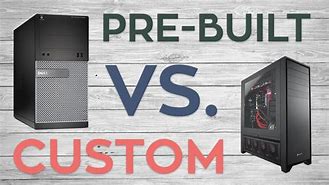
Should you buy a Pre-Built PC or a Custom PC?
Jun 11, 2020 - Pre-built systems are an attractive option for those who are less concerned with the minute details of every component in their build. Building your own PC is the best solution for those who want full control over every aspect of their build. It provides the most thorough customization options, from the CPU to the fans and lighting.

How to use CPUAgent To Find The Right CPU
Jun 2, 2020 - How to find the Right CPU? Whether you’re building or upgrading a PC, the processor matters a lot. CPUAgent is the right tool to help you find and choose the right CPU for your needs.
RTX 3070 with 10600k vs 3700x Bottleneck Comparison
Sep 03, 2020 - Save your CPU money and invest it in a powerful GPU instead. So, which affordable yet powerfulrt CPU strikes the best performance-price balance with the NVIDIA RTX 3070?

10600K vs 3600X: Battle of the mid-range CPUs
May 23, 2020 - The best performance to price value mid-range cpus are here. Find out more in this comprehensive review and summary of the Core i5-10600K vs Ryzen 5 3600X's capabilities.

10700K vs 3700X: Specs, 80+ Game Benchmarks, Bottleneck, and Streaming Analysis
May 22, 2020 - Which one is worth it, Core i7-10700K or Ryzen 7 3700X? Find out in this comprehensive review and summary of the Core i7-10700K vs Ryzen 7 3700X's capabilities.

10900K vs 3900X: Specs, 80+ Game Benchmarks, Bottleneck, and Streaming Analysis
May 21, 2020 - 10 cores vs 12 cores. Top-of-the-line very high-end cpus duke it out.
2500K vs 3570K vs 4670K vs 6600K vs 7600K vs 8600K vs 9600K vs 10600K: Should you consider upgrading?
May 21, 2020 - In this massive comparison across 8 generations of Intel Core i5 series CPUs, we explore the performance improvements by generation and whether it is reasonable or not to upgrade to Intel's latest.