CPU Compare in Productivity and 80+ Gaming Benchmarks
Welcome to our advanced CPU comparison tool! As a gamer, you know that choosing the right CPU can make or break your gaming experience. Let's dive in!
How It Works
- Choose your CPUs: Compare two or more processors head-to-head.
- Current rig vs. upgrade: Is that shiny new CPU worth it?
- Game on: Set your game quality settings, resolution, and graphics card. We'll run 50+ FPS benchmarks.
What Can You Do?
- Calculate CPU bottleneck.
- Adjust quality settings.
- Experiment with different GPU, RAM, and CPU combos.
The Quest for the Best CPU
Our database of over 100,000 benchmarks reveals the legends:
- Warrior specs: Cores, threads, clock speeds.
- Overclocking prowess.
- Gaming might: FPS, latency, smooth gameplay.
- Bottleneck busters.
- Streaming sorcery.
- Video editing wizards.
Level up your rig and happy gaming!
Level Up Your CPU Knowledge: Comparing Processor Benchmarks
Yo, gamers! So you're looking to upgrade your rig, but all this CPU jargon is making your head spin? Don't worry, this guide will break it down for you like comparing loot drops. Forget just looking at the clock rate; that's like judging a weapon by its looks alone. We're here to delve into the real factors that impact a CPU's performance and how to compare them effectively.
Clock Rate: The Processor's Base Speed
Think of clock rate as your CPU's base attack speed. It's measured in gigahertz (GHz), and the higher the GHz, the faster the processor can perform basic calculations. But here's the thing: clock rate is just one stat, like damage output. A super high clock rate might look good on paper, but if the CPU struggles with multitasking (more on that later), it won't perform as well in real-world games.
Cores: More Cores, More Power (Usually)
Imagine cores as extra teammates in your party. Modern CPUs have multiple cores, allowing them to tackle tasks simultaneously. This is especially important in games that juggle a lot of processes, like running complex simulations or rendering detailed graphics. More cores generally means better performance, but some games are better optimized for utilizing multiple cores than others.
Benchmarking: Putting CPUs to the Test
The real test of a CPU's performance comes down to how it handles real-world tasks. Benchmarking is like putting your CPU through a dungeon run. It simulates different workloads and measures how well the CPU performs. Websites like Tom's Hardware and CPUBenchmark provide benchmark scores that you can use to compare different CPUs. These scores are a much better indicator of how a CPU will perform in your games than just looking at the clock rate.
Don't Forget the Bottlenecks
Just like a powerful weapon can be held back by weak armor, a great CPU can be bottlenecked by other components in your system. Slow RAM (like skimpy armor), a weak graphics card (a rusty sword), or a sluggish hard drive (heavy boots) can all limit your CPU's performance. When comparing benchmarks, consider the entire system setup, not just the CPU. Reading reviews of specific systems can also give you a good idea of how well they perform in real-world gaming scenarios.
So, there you have it, gamers! Now you're equipped to compare CPU benchmarks like a pro. Remember, it's not just about the clock rate; it's about cores, benchmarks, and avoiding bottlenecks. With this knowledge, you can choose the perfect CPU to level up your gaming experience!
Are you ready to level up your CPU game? Look no further! Our CPU comparison and ranking not only helps you compare CPUs, but we also bring our own stats and benchmarks to the table. Finding the perfect CPU for your needs is now easier than ever!
Just dive into the tables below to discover what you're after. We've grouped CPUs by performance, power consumption (TDP), price, and benchmark results.
CPU Benchmark Lists: Unleash Real CPU Speeds
But wait, there's more! Beyond the technical CPU specs, we're here to reveal the raw CPU speed. How do we do it? We've got a secret stash of favorite benchmarking software:
- Cinebench
- 3DMark
- Geekbench
- Adobe Premiere
- Adobe Photoshop
- Blender
- PassMark
AMD: Unleash the Zen Power
AMD's current lineup features the mighty Zen 3 CPUs, forged with a 7nm process. These chips are like the Excalibur of gaming rigs! And guess what? They're not just for wizards; they're powering the latest gaming consoles from Microsoft and Sony. Talk about magic!
Intel: The Rocket Lake Saga
Enter Intel's 11th-gen architecture: Rocket Lake. It's like a warp-speed starship, still rocking the 14nm enchantment. These CPUs, including the i9, i7, and i5, are the warp cores of your gaming universe. And don't forget the Intel Alder Lake (the successor to Rocket Lake), designed for both power and efficiency. These chips are so advanced, they practically overclock themselves!
Ready for the ultimate showdown? Compare processors from the same or different collections, generations, and ranks. Whether you're eyeing an Intel® Core, Pentium, Celeron, or any other type of Intel processor, we've got your back.
The Central Processing Unit (CPU), also known as a processor, is the brain of the computer and is thus the most important component. Unfortunately, comparing two different processors side-by-side can be tough, which can complicate any purchases you might make.
The bad news is that you can’t just rely on clock speed or cores, which are the two most heavily advertised aspects of processors. The good news is that you don’t need to know how a CPU works, although that can prove useful.
The other good news is that there are sites out there that make such comparisons easier. In this article, we’ll tell you exactly what matters and what doesn’t when comparing different processors, and how to compare them the right way.
Clock Speed Isn’t Everything
Clock speed and cores are the most heavily advertised aspect of processors. Clock speed is usually noted in hertz (e.g. 3.14 GHz) while the number of cores is usually advertised as dual-core, quad-core, hexa-core, or octa-core.
For a long time, it was this simple: the higher the clock speed, the faster the processor, and more cores meant better speeds. But processor technology today isn’t dependent as much on the clock speed and cores because CPUs now have several other parts that determine how fast they can perform.
In a nutshell, it comes down to how much computing can be done when all parts of a CPU come together in a single clock cycle. If performing Task X takes two clock cycles on CPU A and one clock cycle on CPU B, then CPU B might be the better processor even if CPU A has a higher clock speed.
Compare clock speeds only when you are trying to decide between two CPUs from the same family and same number of cores. What this means is that if you’re looking at two quad-core Intel Core i5 Skylake processors, then the one with the higher clock speed will be faster.
For any other scenario, the clock speed or cores don’t always indicate performance. If you’re comparing Intel Core i3 vs. Core i5 vs. Core i7 processors or Intel Core i5 vs. Core i7 vs. Core i9 processors, then clock speed and number of cores don’t matter. And if you’re comparing Intel vs. AMD or an AMD A10 vs. AMD A8 vs. AMD FX, then clock speed alone won’t tell you much.
Check Single-Threaded Benchmarks
The dirty little secret in the computer world is that even though you’re buying a processor with four cores, all four of those cores might not actually be used when you’re running applications.
Most software today is still single-threaded, which means the program is running as one process and a process can only run on one core. So even if you have four cores, you won’t be getting the full performance of all four cores for that application.
That’s why you also need to check the single-threaded (or single-core) performance of any processor before buying it. Not all companies explicitly release that information, so you’ll need to rely on third-party data from reliable resources like Passmark benchmark tests.
Passmark’s full list of CPU benchmarks has a single-threaded rating for each CPU.
Cache Benchmarks Is King
The cache is one of the most under-appreciated parts of a CPU. In fact, a cache with poor specs could be slowing down your PC! So always check the cache specs of a processor before you purchase it.
Cache is essentially RAM for your processor, which means that the processor uses the cache to store all of the functions it has recently performed. Whenever those functions are requested again, the processor can draw the data from the cache instead of performing it a second time, thus being faster.
Processors have different levels of cache, starting with L1 and going up to L3 or L4, and you should only compare cache size at the same level. If one CPU has L3 cache of 4 MB and another has L3 cache of 6 MB, the one with 6MB is the better choice (assuming clock speed, core, and single-threaded performance are all comparable).
Integrated Graphics Matter, Too
Intel and AMD have combined the CPU and the graphics card into an APU. New processors can usually handle the graphics requirements of most everyday users without requiring a separate graphics card.
These graphics chipsets also vary in performance depending on the processor. Again, you can’t compare an AMD to an Intel here, and even comparing within the same family can be confusing. For example, Intel has Intel HD, Intel Iris, and Intel Iris Pro graphics, but not every Iris is better than HD.
Meanwhile, AMD’s Athlon and FX series come without graphics chips but cost more than the APU-centric A-Series, so you’ll have to buy a graphics card if you’re getting an Athlon or FX processor.
In short, graphics processing on CPUs is still quite confusing, but you still need to pay attention to it! The best option is to consult third-party benchmarks and look for recommendations.
Futuremark developed the 3DMark graphics test, which is one of the best free Windows benchmark tools out there. You can check the 3DMark Physics Score of any processor and compare it to others in Futuremark’s processor list, which should give you a fair idea of which CPU has better graphics.
The Best Way to Compare CPUs
All of these factors come together to make CPU comparisons a difficult proposition. How do you know which one you should buy? Here are a few tips that may help.
The easiest and best way is to head to CPUAgent. This site compares two processors and gives ratings and explains the differences between the two in terms that any non-techie can also understand.
Benchmarks come from different sources like PassMark, PCMark, CompuBench, GeekBench, SkyDiver, and more. We basically save you the trip of going to many sites.
The score is a safe parameter in making your purchase decision, with the simple idea that whichever processor scored higher is the better one. CPUAgent also compares integrated graphics, telling you which APU has the better graphics performance.
In case you are looking for more details than what CPUAgent provides, I’d recommend the PC Builds Comparison Tool. Here you can browse in-depth benchmarks conducted by one of the best independent hardware review sites and even compare two processors side-by-side.
Other Factors That Affect Benchmarks
When it comes to overall performance, keep in mind that your processor is only as good as the rest of the hardware. If you buy a great processor and only stick in 2 GB of RAM, then it will be bottlenecked in speed.
Intel Vs AMD: Which CPU is Best?
Jul 12, 2020 - A rivalry for the ages, and a question often asked and wondered about. Whenever you want to build or upgrade your PC, you have to make a decision: Buy an Intel or AMD processor?
Impact of RAM Size and Speed on Gaming Benchmarks
Jul 5, 2020 - Does RAM size and speed affect your gaming performance? should you invest in a high performance RAM kit? Find out here.

Who Is Lilith and What Terrifies Us About This Diablo Demon?
Jul 24, 2023 No evil entity is more scary than Lilith herself, shrouded in darkness.
Why You Should Always Buy a Mid-to-High-Range Gaming PC?
Jun 23, 2020 - Mid- and high-range builds perform very well for their price, and are better than the entry-level in terms of power, longevity, and reliability, and they offer more bang for your buck especially when looking at their price-by-year advantage.
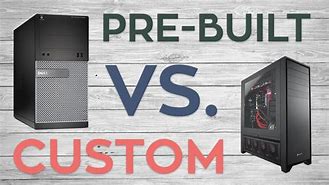
Should you buy a Pre-Built PC or a Custom PC?
Jun 11, 2020 - Pre-built systems are an attractive option for those who are less concerned with the minute details of every component in their build. Building your own PC is the best solution for those who want full control over every aspect of their build. It provides the most thorough customization options, from the CPU to the fans and lighting.

How to use CPUAgent To Find The Right CPU
Jun 2, 2020 - How to find the Right CPU? Whether you’re building or upgrading a PC, the processor matters a lot. CPUAgent is the right tool to help you find and choose the right CPU for your needs.
RTX 3070 with 10600k vs 3700x Bottleneck Comparison
Sep 03, 2020 - Save your CPU money and invest it in a powerful GPU instead. So, which affordable yet powerfulrt CPU strikes the best performance-price balance with the NVIDIA RTX 3070?

10600K vs 3600X: Battle of the mid-range CPUs
May 23, 2020 - The best performance to price value mid-range cpus are here. Find out more in this comprehensive review and summary of the Core i5-10600K vs Ryzen 5 3600X's capabilities.

10700K vs 3700X: Specs, 80+ Game Benchmarks, Bottleneck, and Streaming Analysis
May 22, 2020 - Which one is worth it, Core i7-10700K or Ryzen 7 3700X? Find out in this comprehensive review and summary of the Core i7-10700K vs Ryzen 7 3700X's capabilities.

10900K vs 3900X: Specs, 80+ Game Benchmarks, Bottleneck, and Streaming Analysis
May 21, 2020 - 10 cores vs 12 cores. Top-of-the-line very high-end cpus duke it out.
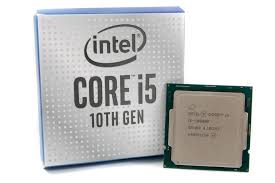
2500K vs 3570K vs 4670K vs 6600K vs 7600K vs 8600K vs 9600K vs 10600K: Should you consider upgrading?
May 21, 2020 - In this massive comparison across 8 generations of Intel Core i5 series CPUs, we explore the performance improvements by generation and whether it is reasonable or not to upgrade to Intel's latest.