
Intel Celeron G4930 Full Specifications
The Intel Celeron G4930 is a Desktop processor with 2 cores, launched in 2019. It is part of the Celeron lineup, using the Coffee Lake architecture with Socket LGA1151. The core-count is effectively doubled, to 2 threads. Celeron G4930 has 2MB of L3 cache and operates at 3.2 GHz by default, but can boost up to 3.2 GHz, depending on the workload. Intel is building the Celeron G4930 on a 14 nm production process. Intel's processor supports DDR4 memory with a dual-channel interface. This processor features the (Intel UHD Graphics 610) integrated graphics solution. This processor can run on motherboards with the following chipsets: B150, B250, B360, B365, C232, C236, C246, H110, H170, H270, H310, H370, Q170, Q270, Q370, Z170, Z270, Z370, Z390.
Intel Celeron G4930 General
| Manufacturer | Intel |
|---|---|
| Core Family | Coffee Lake |
| Model | Celeron G4930 |
| Series | Intel Celeron |
| Type | Desktop |
| Achitecture codename | Coffee Lake |
| Microarchitecture | Coffee Lake |
| Release date | 23 April 2019 |
| Launch price (MSRP) | $42 |
| Price now | $63 |
| Place in performance rating | 1082 |
| Value for money (0-100) | 16.60 |
| Manufacturing process technology | 14 nm |
Intel Celeron G4930 Compatibility
| Power consumption (TDP) | 54 Watt |
|---|---|
| Max number of CPUs in a configuration | 1 |
| Max number of PCIe lanes | 16 |
| PCIe revision | 3.0 |
| Socket | LGA1151 |
Intel Celeron G4930 Benchmarks
| Core Clock | 3.2 GHz |
|---|---|
| Core Count | 2 |
| Hyper-Threading | - |
| L1 Cache | 2 x 32 kB Instruction 2 x 32 kB Data |
| L1 cache | 128 KB |
| L2 Cache | 2 x 256 kB |
| L2 cache | 512 KB |
| L3 Cache | 1 x 2 MB |
| L3 cache | 2 MB |
| Maximum frequency | 3.2 GHz |
| Simultaneous Multithreading | No |
| TDP | 54 W |
| Turbo Boost | - |
Intel Celeron G4930 Memory Specifications
| ECC Support | Yes |
|---|---|
| ECC memory support | + |
| Max memory channels | 2 |
| Maximum Supported Memory | 64 GB |
| Maximum memory bandwidth | 35.76 GB / s |
| Maximum memory size | 64 GB |
| Supported memory types | DDR4-2400 |
Intel Celeron G4930 Technical Specs
| 64 bit support | + |
|---|---|
| Bus support | 4 × 8 GT / s |
| Die size | 126 mm2 |
| Includes CPU Cooler | Yes |
| Maximum core temperature | 100 °C |
| Number of cores | 2 |
| Number of threads | 2 |
| Part # | BX80684G4930 |
Intel Celeron G4930 Integrated Graphics
| 4K resolution support | + |
|---|---|
| Clear Video | + |
| Clear Video HD | + |
| DirectX | 12 |
| Graphics max frequency | 1.05 GHz |
| InTru 3D | + |
| Integrated Graphics | Intel UHD Graphics 610 |
| Integrated graphics | Intel UHD Graphics 610 |
| Lithography | 14 nm |
| Max resolution over DisplayPort | 4096x2304@60Hz |
| Max resolution over HDMI 1.4 | 4096x2304@24Hz |
| Max resolution over eDP | 4096x2304@60Hz |
| Max video memory | 64 GB |
| Number of displays supported | 3 |
| OpenGL | 4.5 |
| Quick Sync | + |
Intel Celeron G4930 Security Technologies
| EDB | + |
|---|---|
| Identity Protection | + |
| MPX | + |
| OS Guard | + |
| SGX | Yes with Intel® ME |
| Secure Key | + |
| TXT | - |
Intel Celeron G4930 Technologies and Extensions
| AES-NI | + |
|---|---|
| Enhanced SpeedStep (EIST) | + |
| Idle States | + |
| Instruction set extensions | Intel® SSE4.1, Intel® SSE4.2 |
| Thermal Monitoring | + |
| vPro | - |
Intel Celeron G4930 Virtualization Technologies
| EPT | + |
|---|---|
| VT-d | + |
| VT-x | + |
Intel Celeron G4930 Other
| Packaging | Boxed |
|---|
Intel Vs AMD: Which CPU is Best?
Jul 12, 2020 - A rivalry for the ages, and a question often asked and wondered about. Whenever you want to build or upgrade your PC, you have to make a decision: Buy an Intel or AMD processor?
Impact of RAM Size and Speed on Gaming Benchmarks
Jul 5, 2020 - Does RAM size and speed affect your gaming performance? should you invest in a high performance RAM kit? Find out here.

Who Is Lilith and What Terrifies Us About This Diablo Demon?
Jul 24, 2023 No evil entity is more scary than Lilith herself, shrouded in darkness.
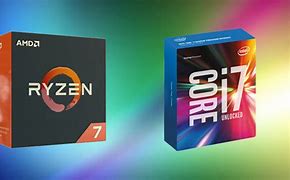
Why You Should Always Buy a Mid-to-High-Range Gaming PC?
Jun 23, 2020 - Mid- and high-range builds perform very well for their price, and are better than the entry-level in terms of power, longevity, and reliability, and they offer more bang for your buck especially when looking at their price-by-year advantage.
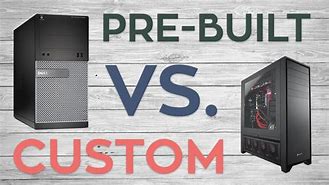
Should you buy a Pre-Built PC or a Custom PC?
Jun 11, 2020 - Pre-built systems are an attractive option for those who are less concerned with the minute details of every component in their build. Building your own PC is the best solution for those who want full control over every aspect of their build. It provides the most thorough customization options, from the CPU to the fans and lighting.

How to use CPUAgent To Find The Right CPU
Jun 2, 2020 - How to find the Right CPU? Whether you’re building or upgrading a PC, the processor matters a lot. CPUAgent is the right tool to help you find and choose the right CPU for your needs.
RTX 3070 with 10600k vs 3700x Bottleneck Comparison
Sep 03, 2020 - Save your CPU money and invest it in a powerful GPU instead. So, which affordable yet powerfulrt CPU strikes the best performance-price balance with the NVIDIA RTX 3070?

10600K vs 3600X: Battle of the mid-range CPUs
May 23, 2020 - The best performance to price value mid-range cpus are here. Find out more in this comprehensive review and summary of the Core i5-10600K vs Ryzen 5 3600X's capabilities.

10700K vs 3700X: Specs, 80+ Game Benchmarks, Bottleneck, and Streaming Analysis
May 22, 2020 - Which one is worth it, Core i7-10700K or Ryzen 7 3700X? Find out in this comprehensive review and summary of the Core i7-10700K vs Ryzen 7 3700X's capabilities.

10900K vs 3900X: Specs, 80+ Game Benchmarks, Bottleneck, and Streaming Analysis
May 21, 2020 - 10 cores vs 12 cores. Top-of-the-line very high-end cpus duke it out.
2500K vs 3570K vs 4670K vs 6600K vs 7600K vs 8600K vs 9600K vs 10600K: Should you consider upgrading?
May 21, 2020 - In this massive comparison across 8 generations of Intel Core i5 series CPUs, we explore the performance improvements by generation and whether it is reasonable or not to upgrade to Intel's latest.