
Intel Celeron N2805 ボトルネック RTX 4070?
Intel Celeron N2805 ボトルネック分析
Celeron N2805 with RTX 4070 - ボトルネック分析 at 1080p vs Core i9 14900K
6ゲームのベンチマークに基づいて、Intel Celeron N2805は1080p-ultraの設定でRTX 4070をボトルネックにします 平均75.9% 。
| ゲーム | i9 14900K FPS | Celeron N2805 FPS | FPS 損失 | ボトルネック (FPS 損失) % |
| Grand Theft Auto V | 256.9 | 48 | -208.9 | 81.3% |
| Shadow of the Tomb Raider | 231.5 | 43.3 | -188.2 | 81.3% |
| PlayerUnknown's Battlegrounds | 228.2 | 69.6 | -158.6 | 69.5% |
| Forza Horizon 4 | 283 | 72.4 | -210.6 | 74.4% |
| Apex Legends | 288.6 | 88 | -200.6 | 69.5% |
| Battlefield V | 288.8 | 60.4 | -228.4 | 79.1% |
Grand Theft Auto V - 1080p
Celeron N2805は、Grand Theft Auto Vのultra品質設定を使用して、RTX 4070で81.3を81.3でボトルネックにしています。
Shadow of the Tomb Raider - 1080p
Celeron N2805は、Shadow of the Tomb Raiderのultra品質設定を使用して、RTX 4070で81.3を81.3でボトルネックにしています。
PlayerUnknown's Battlegrounds - 1080p
Celeron N2805は、CPU要件が非常に低いゲームのみを処理できます。 2コアと2スレッドを備えたCeleron N2805は、1080pでultra品質設定を使用して1080pでRTX 4070を69.5%ボトルネックにしており、フレームドロップも深刻です。
Forza Horizon 4 - 1080p
Celeron N2805は、CPU要件が非常に低いゲームのみを処理できます。 2コアと2スレッドを備えたCeleron N2805は、1080pでultra品質設定を使用して1080pでRTX 4070を74.4%ボトルネックにしており、フレームドロップも深刻です。
Apex Legends - 1080p
Celeron N2805は、Apex Legendsのultra品質設定を使用して、RTX 4070で69.5を69.5でボトルネックにしています。
Battlefield V - 1080p
Celeron N2805は、Battlefield Vのultra品質設定を使用して、RTX 4070で79.1を79.1でボトルネックにしています。
intel vs amd:どのCPUが最適ですか?
Jul 12, 2020 - 古くからのライバル関係、そしてしばしば尋ねられ不思議に思った質問。 PCをビルドまたはアップグレードするときはいつでも、意思決定を行う必要があります。インテルまたはAMDプロセッサーを購入しますか?
ラムのサイズと速度がゲームのパフォーマンスに与える影響
Jul 5, 2020 - ラムのサイズと速度はゲームのパフォーマンスに影響しますか?高性能RAMキットに投資すべきですか?こちらをご覧ください。

Who Is Lilith and What Terrifies Us About This Diablo Demon?
Jul 24, 2023 No evil entity is more scary than Lilith herself, shrouded in darkness.
なぜ常に中高域のゲーミングPCを購入する必要があるのですか?
Jun 23, 2020 - ミッドレンジおよびハイレンジビルドは、価格に対して非常に優れており、パワー、寿命、および信頼性の点でエントリーレベルよりも優れており、特に年ごとの価格を見ると、見返りが大きくなります。利点。

事前に構築されたPCとカスタムPCのどちらを購入する必要がありますか?
Jun 11, 2020 - ビルド済みのシステムは、ビルド内のすべてのコンポーネントの詳細にあまり関心がない人にとって魅力的なオプションです。自分のPCをビルドすることは、ビルドのあらゆる側面を完全に制御したい人にとって最高のソリューションです。 CPUからファン、照明まで、最も完全なカスタマイズオプションを提供します。

cpuagentを使用して適切なCPUを見つける方法
Jun 2, 2020 - 適切なCPUを見つける方法? PCを構築している場合でもアップグレードしている場合でも、プロセッサは非常に重要です。 cpuagentは、ニーズに合った適切なCPUを見つけて選択するのに役立つ適切なツールです。
RTX 3070 with 10600k vs 3700x Bottleneck Comparison
Sep 03, 2020 - Save your CPU money and invest it in a powerful GPU instead. So, which affordable yet powerfulrt CPU strikes the best performance-price balance with the NVIDIA RTX 3070?

10600K vs 3600X: Battle of the mid-range CPUs
May 23, 2020 - The best performance to price value mid-range cpus are here. Find out more in this comprehensive review and summary of the Core i5-10600K vs Ryzen 5 3600X's capabilities.

10700K vs 3700X: Specs, 80+ Game Benchmarks, Bottleneck, and Streaming Analysis
May 22, 2020 - Which one is worth it, Core i7-10700K or Ryzen 7 3700X? Find out in this comprehensive review and summary of the Core i7-10700K vs Ryzen 7 3700X's capabilities.

10900K vs 3900X: Specs, 80+ Game Benchmarks, Bottleneck, and Streaming Analysis
May 21, 2020 - 10 cores vs 12 cores. Top-of-the-line very high-end cpus duke it out.
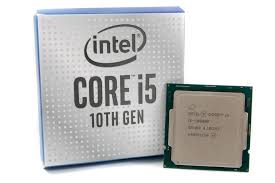
2500K vs 3570K vs 4670K vs 6600K vs 7600K vs 8600K vs 9600K vs 10600K: Should you consider upgrading?
May 21, 2020 - In this massive comparison across 8 generations of Intel Core i5 series CPUs, we explore the performance improvements by generation and whether it is reasonable or not to upgrade to Intel's latest.